
To properly function with expansion modules require set of libraries. Those libraries are listed below.
- Adafruit_ADS1x15
- smbus
- Serial
- spidev
- numpy
- RPi.GPIO
Install Adafruit_ADS1x15 library
Open terminal window, the copy and past code lines notes below. Then press ‘Enter’ to run the code.
Source Install
sudo apt-get update
sudo apt-get install build-essential python-dev python-smbus git
cd ~
git clone https://github.com/adafruit/Adafruit_Python_ADS1x15.git
cd Adafruit_Python_ADS1x15
sudo python setup.py install
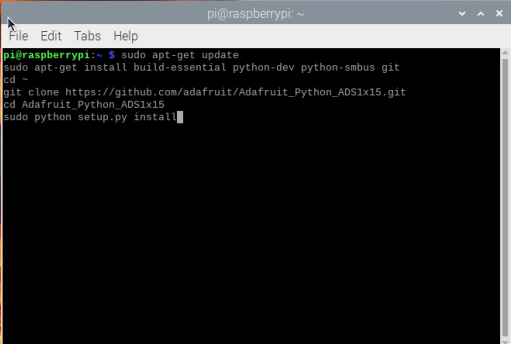
Then copy and past code lines noted below and press ‘Enter’ for run the code.
Python Package Index Install
sudo apt-get update
sudo apt-get install build-essential python-dev python-smbus python-pip
sudo pip install adafruit-ads1x15
Now the library installation is successfully finished.
Install smbus library
smbus is I2C tool useful for I2C supported expansion modules programming.
The OS version provided with this product is Bullseye Release. So use code lines notes below. Copy below code lines and past on terminal window. then press ‘Enter’ to run the code.
sudo apt-get update
sudo apt-get install python3-smbus python3-dev i2c-tools
After terminal installation finished run below code line for check I2C address
Note: Run this code line after I2C supported expansion module connected.
sudo i2cdetect -y 1
Install Serial library
Open terminal window, the copy and past code lines notes below. Then press ‘Enter’ to run the code.
python -m pip install pyserial
If the above code line not support or error shows in terminal window use below code lines.
conda install pyserial
or
conda install -c conda-forge pyserial
If the any above code line not support or error shows in terminal window use below code lines.
sudo pip uninstall pyserial
sudo pip install pyserial
sudo pip3 uninstall pyserial
sudo pip3 install pyserial
Install spidev library
spidev library is useful for program expansion modules that supports SPI.
Open terminal window, the copy and past code lines notes below. Then press ‘Enter’ to run the code.
If the Python Dev not installed run below codes in terminal window and reboot.
sudo apt-get install python-dev
Then run the below noted codes in terminal window.
mkdir python-spi
cd python-spi
wget https://raw.github.com/doceme/py-spidev/master/setup.py
wget https://raw.github.com/doceme/py-spidev/master/spidev_module.c
sudo python setup.py install
After installation completed reboot the device.
Install numpy library
Open terminal window, the copy and past code lines notes below. Then press ‘Enter’ to run the code.
pip3 install numpy
If the above code was not supported or error occurs on terminal window try below code lines.
pip3 uninstall numpy
sudo apt-get install python3-numpy
Install RPi.GPIO library
Method 1 – From repository installation
Open terminal window, the copy and past code lines notes below. Then press ‘Enter’ to run the code.
sudo apt-get update
Attempt to install RPi.GPIO library.
sudo apt-get install rpi.gpio
Method 2 – Manual installation
Download the library.
wget https://pypi.python.org/packages/source/R/RPi.GPIO/RPi.GPIO-0.5.11.tar.gz
Extract the downloaded file and extract to new folder.
tar -xvf RPi.GPIO-0.5.11.tar.gz
Browse to new directory.
cd RPi.GPIO-0.5.11
Install the library.
sudo python setup.py install
Remove the directory and archive file
cd ~
sudo rm -rf RPi.GPIO-0.*