- After following Figure 1(a), (b), (c) diagram instructions in Wiring Diagram Section . Connect a Fast Transistor Output Expansion module in to
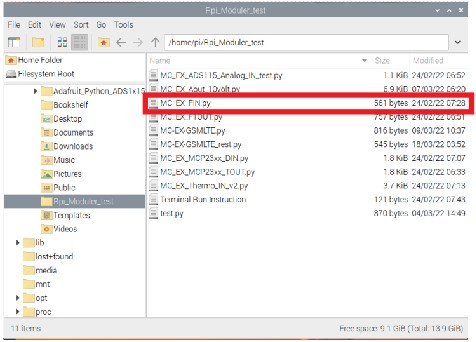
the 40 pin board to board connector in CPU Module (Explained in MC-CPU-CM4-Gx datasheet). - Follow the File Manager > Pi > Rpi_Moduler_test path, then open Rpi_Moduler_test folder.
- In Rpi_Moduler_test folder include example program for every expansion module.
- Select the MC_EX_FIN.py example program that matches with the Fast Input expansion module shown in below Figure 1.
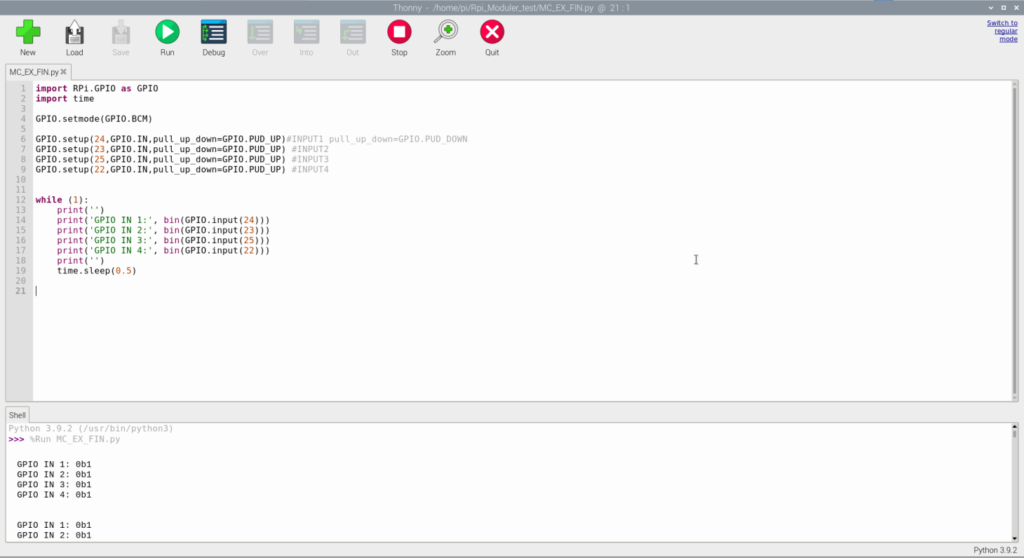
5. The python program will open on default Thonny Python IDE. Click RUN for start the program shown in Figure 2 below.